Love Photo Slideshow With Musi1.3
Publisher Description


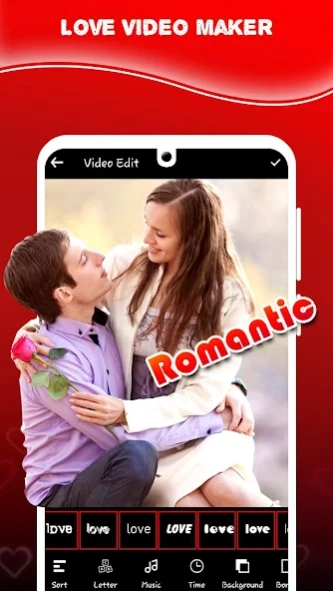

This app helps you to create Image Slide-show from your mobile in seconds.
Love Video Maker with Song
Love Video Maker can help you create Love video. Create your own Love Video to slideshow video from images and music with latest added features and Love theme. .
You can create videos using photos, add music to video, edit photos used for the video, add Love frames to video, set speed of frame rate to your photo video. Never miss special moments and clicks of celebration and create video easily with few steps with help of Romantic Love video maker.
Love Movie Maker with Music with love / Heart themes and background is one of the best video editor app, Video maker for Android device which lets you create video with customize music. Give unforgettable love video surprise or make short status love video which will create unique and special feelings for your loved one.
Photo Video Editor is app to create heart touching video. Best Slideshow app to make photo slideshow effects video from selected images with customize music editing option with 4K Love Themes of Heart Shapes and special lovely Stickers.
☻ How to Use App?
• Take Multiple image from gallery and Arrange photo according to your slideshow maker at time of choosing and add music related to your video maker.
• Love Film Maker will help you to create Image Slideshow from your photos, gives seconds between two image, with slide time, romantic love frames overlay video, effect animation for video maker and film effects.
Enjoy the app and surprise your partner!!!
Don't forget to rate!!!
Thank you!!
About Love Photo Slideshow With Musi
The company that develops Love Photo Slideshow With Musi is Strike Zone Apps. The latest version released by its developer is 1.3.
To install Love Photo Slideshow With Musi on your Android device, just click the green Continue To App button above to start the installation process. The app is listed on our website since 2020-07-28 and was downloaded 18 times. We have already checked if the download link is safe, however for your own protection we recommend that you scan the downloaded app with your antivirus. Your antivirus may detect the Love Photo Slideshow With Musi as malware as malware if the download link to com.strikezone.videomaker.lovevideomaker is broken.
How to install Love Photo Slideshow With Musi on your Android device:
- Click on the Continue To App button on our website. This will redirect you to Google Play.
- Once the Love Photo Slideshow With Musi is shown in the Google Play listing of your Android device, you can start its download and installation. Tap on the Install button located below the search bar and to the right of the app icon.
- A pop-up window with the permissions required by Love Photo Slideshow With Musi will be shown. Click on Accept to continue the process.
- Love Photo Slideshow With Musi will be downloaded onto your device, displaying a progress. Once the download completes, the installation will start and you'll get a notification after the installation is finished.
